
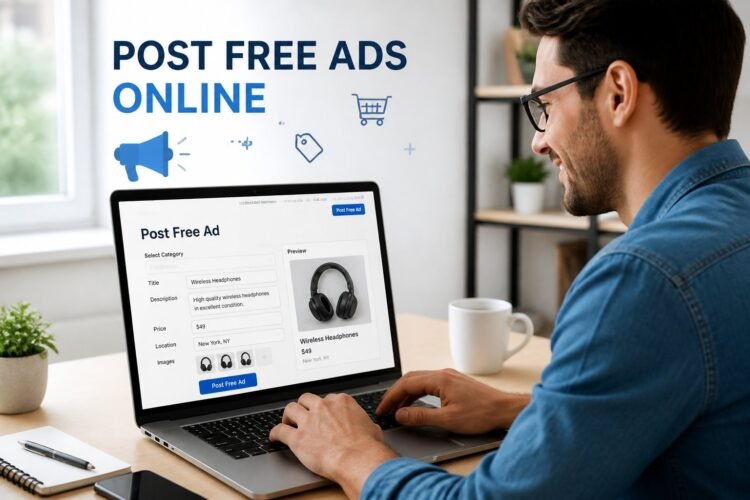
You can post free ads online quickly and reach local buyers, build backlinks, or drive traffic without increasing your ad spend. By picking the right platforms and crafting clear, targeted copy, you’ll get measurable results from classified sites, marketplaces, and niche boards.

Focus on platforms that match your product and audience, write concise ads with a clear call to action, and follow best posting practices to maximize exposure while avoiding common pitfalls.
This article walks you through choosing the right platforms, creating impactful ad content, posting strategically, boosting engagement, and steering clear of mistakes that waste time or harm credibility.
Choosing the Right Platforms to Post Free Ads Online

Pick platforms that match what you sell, where your buyers spend time, and how much control you need over listings. Balance broad reach with relevance, and check rules that affect payment, returns, and prohibited items.
Comparing Classifieds and Niche Sites
Classified sites (Craigslist, Facebook Marketplace) give fast, broad exposure and work well for general items, local services, and quick turnover. They often require minimal setup and accept many item types, but competition and low buyer intent can force price negotiation and repeated reposting.
Niche sites (Reverb for instruments, Poshmark for fashion, Autotrader for cars) target buyers who search specifically for your category. Expect higher conversion rates and more qualified inquiries. You may face listing fees, stricter posting standards, or specialized shipping expectations, but buyers usually accept higher prices for category-specific trust.
When choosing, list on one broad classified for volume and on one niche site for quality leads. Track where inquiries come from for two weeks and shift effort to the platform delivering buyers ready to complete a sale.
Assessing Audience Reach
Measure reach by active user counts, local versus national coverage, and traffic quality. A platform with millions of users might still underperform if most users don’t search your category or region. Use site metrics, public traffic reports, and competitor presence to estimate visibility.
Check engagement signals: number of listings in your category, average post lifespan, and frequency of renewed posts. Prioritize platforms where listings appear in search results and where mobile usage is high if you rely on quick messaging. Consider audience demographics — age, income, and buying habits — and match them to your price point and product condition.
Test for two to four weeks per platform, recording leads, conversion rate, and time-to-sale. Use that data to drop channels that waste time and invest in ones that consistently produce qualified buyers.
Reviewing Platform Policies
Read rules on prohibited items, payment methods, and dispute resolution before posting. Platforms vary: some ban certain electronics, others restrict services or require ID verification. Posting something that violates policy risks removal and account suspension.
Confirm payment and shipping expectations. Some sites integrate payments and buyer protection, while others leave you to cash, bank transfer, or apps like Venmo. Note return/refund rules and whether the platform mediates disputes. Also check limits on repeated posts, commercial seller registration, and required disclosures (mileage for vehicles, condition for refurbished goods).
Keep screenshots of your listings and correspondence. If a policy issue arises, documented evidence speeds appeals and protects your account.
Creating Impactful Ad Content

Focus on one strong message, make benefits concrete, and use keywords that buyers actually search for. Structure each element so readers scan quickly and act fast.
Writing Attention-Grabbing Headlines
Lead with a clear, specific benefit or offer. Use numbers, timeframes, or exact savings — for example, “Free Pickup — Sofa in Good Condition, $0” or “50% Off First Month — Storage Unit, 5×8 ft.”
Keep headlines under 10 words when possible so they display fully on mobile. Put the most important words up front (product, price, condition).
Test two headline variants when you post: one feature-driven and one urgency-driven. Measure clicks and swap the weaker headline after 48–72 hours.
Avoid vague phrases like “Great Deal” without context. Replace them with measurable claims such as “Delivered Within 2 Days” or “Includes New Charger.”
Crafting Clear Descriptions
Start with a concise lead sentence that answers who, what, and why: model, condition, and unique selling point. Follow with 3–5 bullet points that cover dimensions, age, defects, and included accessories.
Use plain language and short sentences. Example bullets:
- Dimensions: 84″ x 36″ x 34″
- Condition: Light wear on left armrest; no stains
- Extras: Original manual and replacement cushions included
Include a direct call to action in the last line, such as “Message to schedule pickup today” or “Click ‘Send Inquiry’ for immediate response.” Be honest about flaws to reduce wasted inquiries and cancellations.
Integrating Keywords for Visibility
Pick 5–8 relevant keywords or short phrases based on what buyers type. Combine product-type + condition + location or intent, e.g., “used iPhone 12 unlocked NYC,” “cheap moving boxes near me,” or “vintage oak dining table 6-seater.”
Place primary keyword in the headline and repeat 1–2 times naturally in the description. Use secondary keywords in bullets or the last sentence.
Avoid keyword stuffing. Prioritize readability: write for a human first, then tweak one or two lines to include search terms. Track which keyword combinations bring inquiries and refine your list every week.
Best Practices for Posting
Focus on precise category placement, clear high‑quality images, and exact location settings to make your ad findable and trusted. Small details like correct subcategory, image dimensions, and neighborhood names affect visibility and response rate.
Selecting Appropriate Categories
Choose the most specific category and subcategory that match your item or service. If you’re selling a used DSLR, list it under “Electronics > Cameras” rather than a generic “Electronics” or “For Sale” bucket. Specific placement improves search matches and reduces accidental clicks.
Read the site’s category descriptions before posting. Some platforms hide or downrank listings placed in the wrong section; follow any format rules (title length, prohibited words) to avoid moderation delays. Use relevant keywords in the title and first sentence—brand, model, condition, and key feature—so search filters and users find your ad quickly.
If your item fits multiple categories, post in the primary one and consider one cross‑post on a secondary channel rather than duplicating on the same site. Track which category performs best by noting views and inquiries after 48–72 hours.
Uploading Effective Images
Use 3–6 sharp photos taken in natural light; include close‑ups of serial numbers, wear, or unique marks. Start with a clear main image that shows the whole item against a neutral background so buyers immediately understand what you sell.
Crop to remove distractions and keep file sizes under platform limits while preserving resolution (800–1600 px on the longest side is usually ideal). Avoid heavy filters or misleading angles. For services, include 1–2 portfolio shots or a professional headshot to build trust.
Label image files with descriptive names (e.g., nikon-d750-front.jpg) when the platform preserves filenames—this can improve SEO. Add brief captions where allowed to highlight condition, dimensions, or included accessories.
Setting Accurate Locations
Enter the precise city, neighborhood, or postal code buyers use in searches. If you serve multiple areas, list your primary service area and mention additional zones in the body copy (e.g., “serving downtown, Northside, and Riverdale”). Accurate location increases relevancy in map and local search results.
Choose the correct distance radius and pick a visible meeting spot if you will meet buyers (well‑lit public places). For listings that require pickup, specify exact pickup addresses or a centralized pickup point and available times to reduce back‑and‑forth.
Avoid vague phrases like “near me” or broad region names if the platform allows coordinates or map pins. Keep safety in mind: display only business addresses or public meeting locations until you confirm a buyer.
Maximizing Exposure and Engagement
Focus on targeted channels and measurable actions that increase views, clicks, and replies. Use clear visuals, concise copy, and consistent tracking so you know which listings and posts actually drive contact requests and conversions.
Promoting on Social Media
Choose platforms where your audience is active — Facebook Marketplace and Groups for local goods, Instagram and TikTok for visual products, and LinkedIn for B2B services. Post the same ad across these channels but tailor the caption, image crop, and call-to-action to each platform’s norms.
Use a short checklist for each post:
- Primary image: high-resolution, 1–3 main shots, 4:5 or 1:1 aspect for Instagram.
- Headline: 6–10 words with price or key benefit.
- CTA: “Message to buy,” “Book a demo,” or “View more photos.”
- Hashtags / tags: 5–10 relevant tags on Instagram; local hashtags and group names on Facebook.
Schedule posts at peak times for your audience (evenings for consumers, mornings midweek for professionals). Pin or repost top-performing listings weekly. Boost reach with small targeted boosts when a post already shows strong engagement.
Monitoring Ad Performance
Track metrics that matter: impressions, clicks, messages, and conversion actions (phone calls, purchases, sign-ups). Use a simple spreadsheet or free tools (platform analytics, Google Analytics UTM links) to capture source, date posted, and outcomes.
Set baseline KPIs: e.g., 1% click-through rate, 10% response rate to messages, or one conversion per 50 clicks. Review performance every 7–14 days and compare by platform and listing variant.
Run quick A/B tests: change the image, headline, or price and run both versions for 48–72 hours. Keep the winning elements and iterate. Log learnings in a short notes column so you replicate successful formats across future free ads.
Avoiding Common Pitfalls
You should protect your time and reputation by spotting scams quickly and following site limits so your listings remain active. Act on clear signs of fraud and know each platform’s posting rules before you publish.
Identifying and Preventing Scams
Watch for three main red flags: requests for payment outside the platform, buyers or sellers who refuse in-person meetings, and overly urgent messages that push you to act without verification. Verify identities by checking profiles, reading past reviews, and asking for matching ID or proof of ownership for high-value items.
Use platform tools: enable two-factor authentication, mark listings as “local pickup,” and use site payment processors when available. For in-person exchanges, choose public, well-lit locations and bring a friend. If a buyer asks to wire money, accept unusual payment types, or offers more than the asking price, stop communication and report them.
Keep records of all messages and screenshots of suspicious activity. Report scams promptly to the site and, if payment fraud occurred, to your bank or payment provider.
Understanding Posting Limits
Different sites enforce limits on how often you can post, how many similar listings you can have, and which categories require verification. Check the site’s FAQ or posting settings to learn daily posting caps, maximum photo counts, and category-specific restrictions before you create multiple listings.
Structure listings to comply: reuse a single, well-optimized ad rather than duplicating the same item, and rotate updates (price changes, refreshed photos) to keep visibility without violating duplicate rules. Track your posts in a simple spreadsheet with dates, post IDs, and status so you can contest removals or know when to repost.
If a listing gets removed, review the platform’s reason code, edit the content to match guidelines (remove promotional language, add missing details), and appeal within the allowed window rather than immediately reposting.
